
Hopper BD4.2.0 - App Store
You'll be able to see results in few seconds.
Publisher Description
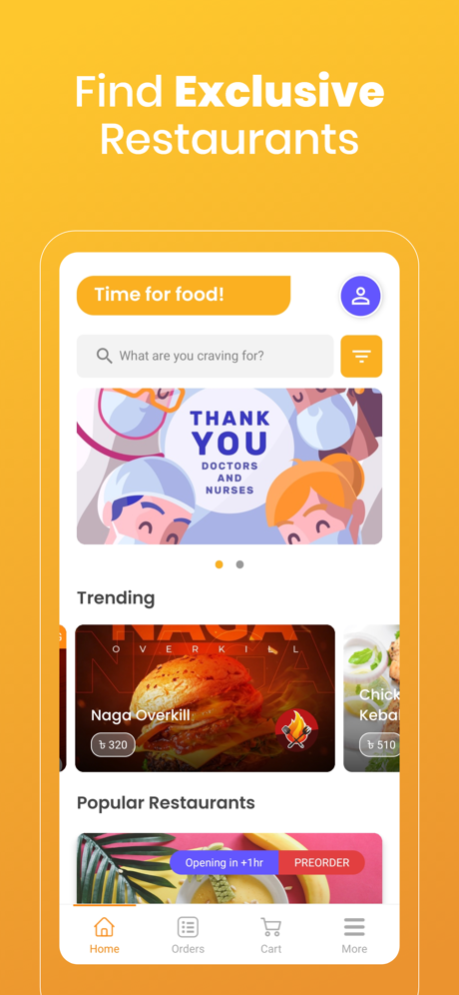
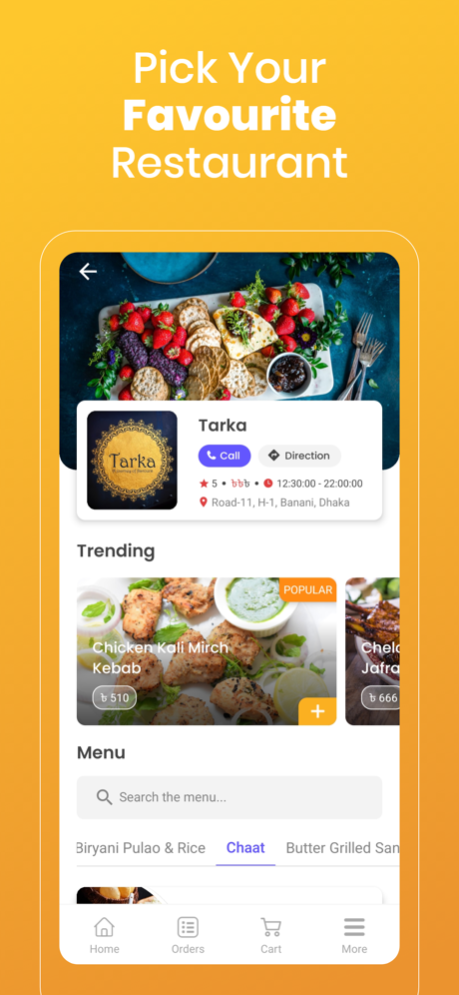

Description:
Want to order a tasty pizza, biryani, salad, burger or kebab? Our app lets you order the best dishes from nearby restaurants and coffee shop. Craving Chinese, Indian, Italian or Greek food? You'll be spoilt for choice! Restaurants usually take 30-45 minutes to deliver.
The Hopper App gives you the ability to loot at our menu and choose your meal in your phone without having to queue at our restaurants. Order and pay with a touch of your finger from wherever you are – at a Hopper on your way home for a takeaway order, or where you’re at with the food delivered to you. Bid goodbye to long queues!
When your piping hot order is ready for collection, a notification will be sent to your mobile phone. Just flash your order number at the pick-up counter to collect your order.
Order for collection or for delivery
Simply register an account with your name and phone number to place an order and select restaurant, menu, food category, add food item to cart, select checkout, add address, choose payment method, that’s it, order is completed! Plus, get first dips on new promotion and exclusive rewards.
Aug 11, 2021
Version 4.2.0
bug fixing
About Hopper BD
The company that develops Hopper BD is Tutul Barua. The latest version released by its developer is 4.2.0.
To install Hopper BD on your iOS device, just click the green Continue To App button above to start the installation process. The app is listed on our website since 2021-08-11 and was downloaded 0 times. We have already checked if the download link is safe, however for your own protection we recommend that you scan the downloaded app with your antivirus. Your antivirus may detect the Hopper BD as malware if the download link is broken.
How to install Hopper BD on your iOS device:
- Click on the Continue To App button on our website. This will redirect you to the App Store.
- Once the Hopper BD is shown in the iTunes listing of your iOS device, you can start its download and installation. Tap on the GET button to the right of the app to start downloading it.
- If you are not logged-in the iOS appstore app, you'll be prompted for your your Apple ID and/or password.
- After Hopper BD is downloaded, you'll see an INSTALL button to the right. Tap on it to start the actual installation of the iOS app.
- Once installation is finished you can tap on the OPEN button to start it. Its icon will also be added to your device home screen.
Program Details
System requirements
Download information
Pricing
Version History
version 4.2.0
posted on 2021-08-11
Aug 11, 2021
Version 4.2.0
bug fixing
Disclaimer
Official App Store Link
We do not host Hopper BD on our servers. We did not scan it for viruses, adware, spyware or other type of malware. This app is hosted by Apple and passed their terms and conditions to be listed there. We recommend caution when installing it.
The App Store link for Hopper BD is provided to you by apps112.com without any warranties, representations or guarantees of any kind, so access it at your own risk.
If you have questions regarding this particular app contact the publisher directly. For questions about the functionalities of apps112.com contact us.
